InfoThis feature is available in selected plans. For up-to-date information on plan availability, see the billing documentation.
Create advanced rules
Due to the highly technical aspect of the advanced rules functionality, the ability to create and edit these rules is currently only available through our API. Check out the following guides for details on how to create advanced rules and their key components:- API docs: Learn how to construct and manage advanced rules.
- Advanced rule objects and attributes: Get the list of all available objects you can use in rule expressions along with their respective attributes and types.
- Source field objects: Check the available source field objects you can use in your expressions along with their respective attributes and types.
Advanced rule properties
The advanced rule object contains the following properties:InfoEach rule can contain only one action—
block, allow, captcha, handshake, or tag. If you use multiple actions in a single rule, the API will return an error.Description of the properties
Description of the properties
Best practices
You can use our API documentation as a guide when constructing your own advanced rules. The following sections provide examples of advanced rules created via our API using cURL.NoteExamples are illustrative. Field values (paths, cookies, IPs, countries) should be adapted to the customer’s environment.
Rate limiting
You can rate limit IPs based on the number of requests they make to your website. For example, this can be useful for mitigating scrapers or automated clients that generate a high volume of requests over a short period of time. You can find more examples in our Rate limiting guide. The following rule limits the rate of requests an IP can send for 10 minutes, when it exceeds 200 requests in 5 seconds, but excludes requests from mobile or web clients that have specific cookies. Rate Limiting curl exampleThe penalty tag
The WAAP system appends thepenalty tag to the local (domain-related) IP record when an IP address triggers a block rule configured with an action_duration parameter.
To continue blocking an IP address after the original rule’s conditions are no longer met, include a penalty tag check in the rule’s source conditions (for example, using a condition such as ... or tags.exists('penalty'), or define a separate rule that targets requests carrying the penalty tag. The following example illustrates this approach.
Block all penalty requests
The following rule blocks requests from IP addresses tagged with thepenalty tag, allowing block actions applied by other rules to persist.
Block penalty-tagged IP requests
Other examples
Validate a set of countries
Demonstrates how to apply browser validation (JavaScript-based challenge) using thehandshake action to requests originating from specific countries, based on the whois.country field, while excluding requests that contain certain cookies.
Validate a set of countries
Add clients to allow list
Demonstrates how to allow requests from specific IP addresses or IP ranges by matching IP values in the rule condition. Add clients to allow listTag and allow registered clients
Demonstrates how to tag requests based on the presence of a specific cookie and allow requests associated with the assigned tag.When defining tag values in JSON, double quotation marks must be used, while string values inside rule expressions must be enclosed in single quotation marks. Tag registered clients
Define login pages
Demonstrates how to tag requests that match specific URL patterns using string matching on the request URI. Define login pagesReview existing rules
Advanced rules can be reviewed by:- Using the WAAP API via the Advanced Rules retrieval endpoint.
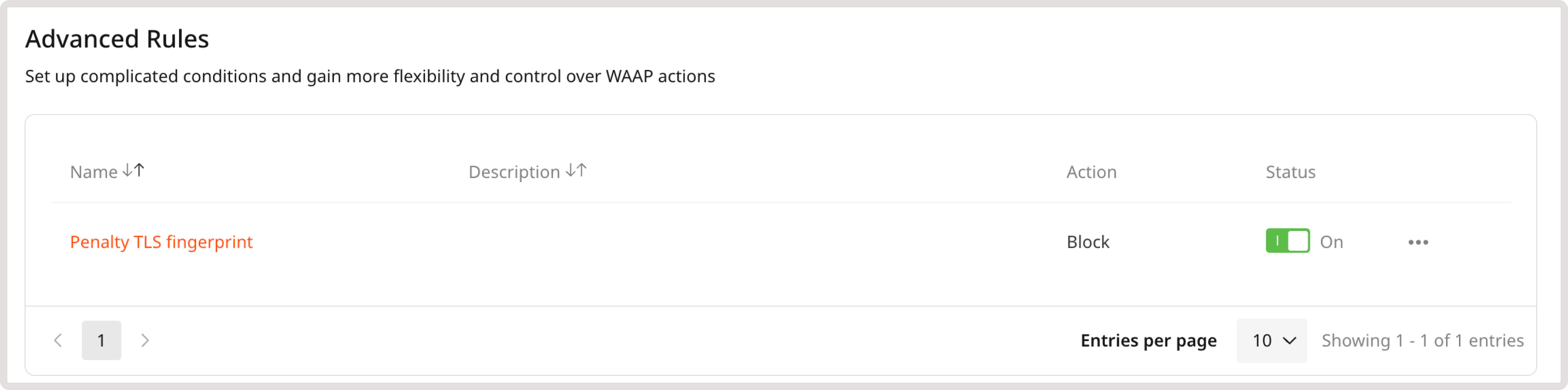
- Using the Gcore Customer Portal, where rules can be enabled, disabled, or deleted.